Stylistic Sets

Some OpenType fonts include stylistic setsalternate glyphs that can be applied one character at a time or to a range of text. If you select a different stylistic set, the glyphs defined in the set are used instead of the font's default glyphs. Using a stylistic set is one way you can apply small caps to a range of text, for example. You can see the glyphs for each stylistic set using the Glyphs palette. Figure 7.18. Four different glyphs for the "e" character.
Figure 7.19. Choosing glyphs from the Glyphs palette.[View full size image] 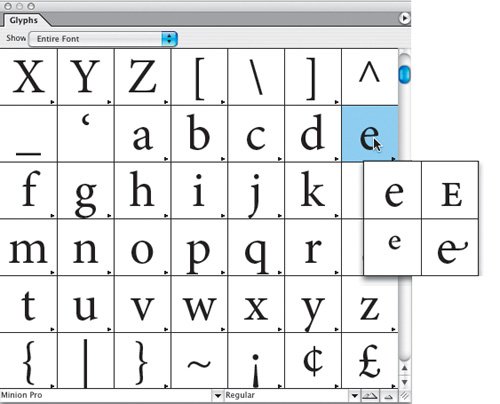
|



