First-Line Indents

The humble first-line indent plays a crucial role in the readability of documents, notifying the reader that one paragraph has ended and a new one is about to begin. You wouldn't think there would be too much to say about first-line indents. They're indents on the first line of a paragraph. 'Nuff said. Not if you're Jan Tschichold. The famous typographer wrote several articles about first-line indents and was unequivocal on the subject: "The beginnings of paragraphs must be indented. Paragraphs without indent…are a bad habit and should be eliminated." And more: "Typesetting without indentation makes it difficult for the reader to comprehend what has been printed. And that is its most important disadvantage. While blunt beginnings seem to create a uniform and consistent impression when compared to normal typesetting, this impression is paid for with a serious loss of comprehension." How Big Should They Be?There is no hard and fast rule, but 1 em is a good starting point. If you're using 10-point type, a 10-point first-line indent is suitable. Anything less and the indent may be missed. Alternatively you can use your leading increment so that if your text is 10/12, then a 12-point first line indent is suitable. Some people prefer a slightly larger indent, especially if they're working with wide columns. Just make sure your first-line indent is not bigger than the exit lines of your paragraphs, as this will create ugly areas of trapped space between paragraphs. How (and How Not) to Add First-Line IndentsFirst-line indents can be applied through the Control palette, or better yet, incorporated into a style sheet definition. Don't create your first-line indents with tabs, or worse, by pressing the spacebar multiple times. Figure 9.2. Control palette. Paragraph Style Options.[View full size image] 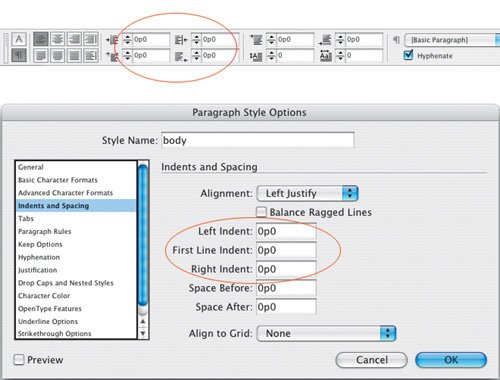
While first-line indents are generally more suited to reading matter, be it magazine or newspaper articles or literature, paragraph spacing may be more appropriate for reference material. To some degree it's a matter of preference, but here are some things to consider:
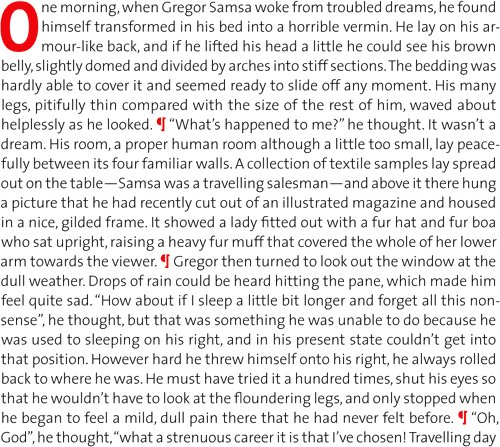
Alternatives to the First-Line IndentNot everyone loves a first-line indent. In Germany, as well as in some newspapers where space is especially tight, it's popular to have the paragraphs flush left, without any indentation. This can be problematic if the last lines of the paragraphs run the full column measure, making it difficult for the reader to discern one paragraph from another. Instead of indents, try separating paragraphs with an em or en space, or with a decorative paragraph mark. This can be effective for short passages of text where you want to maintain a flush look, but don't want to compromise the meaning of the text. Figure 9.3. Flush paragraphs. Without first-line indents it is difficult to find the beginning of the line, especially when the last line of the previous paragraph is long (line 10).
Figure 9.4. Paragraph ornaments are one way of maintaining a flush look to the paragraph without sacrificing comprehension of the text.
Hanging IndentsHanging indents (also known as outdents), are where all the lines of the paragraph are indented except for the first line, which sticks out beyond the left margin edge. Hanging indents are achieved by applying a left indent, then applying a first-line indent of a negative value, typically the same amount as you entered for the left indent. For example, if you specify a left indent of 1 pica, your first-line left indent will be 1 pica. Figure 9.5. When used sparingly, hanging indents or outdents can be an effective way of emphasizing the beginning of a paragraph.
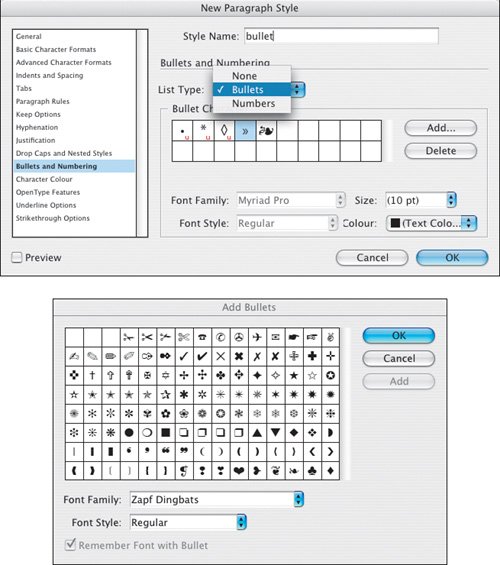
To create a hanging indent, use the Control palette or the Paragraph palette. You can also use the Tabs palette: Specify a left-indent value greater than zero and drag the top marker to the left. The most common example of a negative first-line indent is a bulleted or numbered list, where the second and subsequent lines of the paragraph align under the first character rather than under the bullet point or number. Bullets are great for lists that don't require a sequence or hierarchy. In days of yore, you made bulleted lists by indenting the text, making the first-line indent the same as the left indent, but negative, then inserting a tab before the first character (after the bullet) to move it over to the left indent value. These days, a single-click using the Control palette or the PageMaker Toolbar will not only set the hanging indent but also add the bullet character. Figure 9.6. Using the Tabs palette to create a hanging indent.[View full size image] 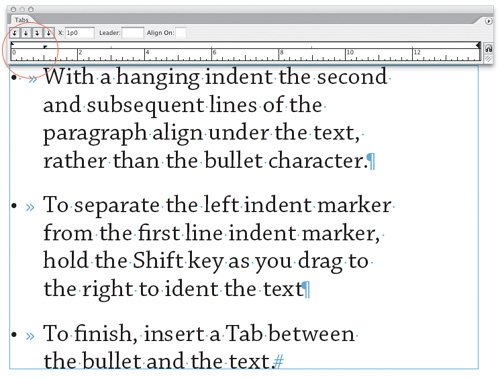
Figure 9.7. The Pagemaker Toolbar.
Tip To remove bullets from a bulleted list created with the Bulleted List button in the PageMaker Toolbar, either click the Bulleted List icon again or apply a paragraph style that does not incorporate bullets. Here's a bulleted list of things to consider when making a bulleted list:
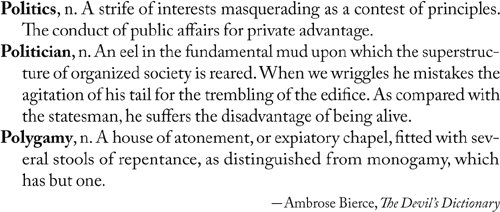
Hanging indents are also used for dictionaries and other reference sources, and sometimes on résumés. Figure 9.9. A Dictionary entry.
|