8.6 Sharing Files Using Rendezvous
Modern Macs do not come with a floppy drive for easy file exchange. This is because Apple believes that you should be able to exchange files using the network, and because many files these days are too big for floppies, anyway. Sharing files in Mac OS X is a breeze, as Rendezvous automatically detects which computers are on the network.
8.6.1 Sharing Files
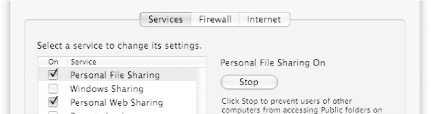
To enable file sharing, go to System Preferences and select the Sharing icon. Under the Services button, check the Personal File Sharing checkbox to turn on file sharing (see Figure 8-9).
Figure 8-9. Enabling Personal File Sharing
8.6.2 Connecting to a File Server
To use the files shared by another user:
Go to the Finder, click on the Go menu, and select Connect to Server...
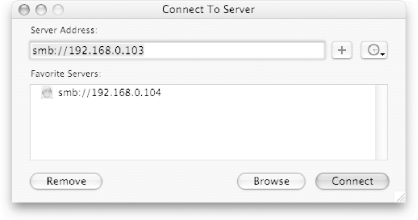
The Connect to Server window will appear (see Figure 8-10). Click the Browse button.
Figure 8-10. Browsing for computers on the network
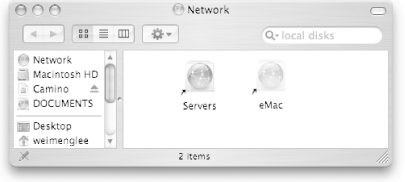
The Network window will appear to display the computers on the network. In Figure 8-11, eMac is a remote machine on the network.
Figure 8-11. Viewing the computers on the network
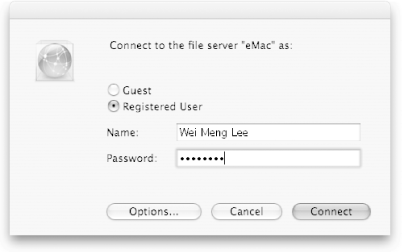
Double-click on the machine you want to connect to, then enter your username and password (see Figure 8-12).
Figure 8-12. Connecting to the remote computer as a registered user