Indenting Text
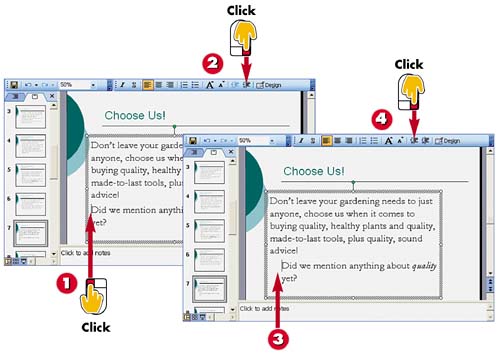

Click in front of the line of text to be indented.

Click the Increase Indent button in the Formatting toolbar to indent the text.

PowerPoint indents the text.

Click the Decrease Indent button to decrease the indent.
INTRODUCTIONYou can use the Increase Indent and Decrease Indent buttons to quickly indent paragraph text in a slide. |
TIPUsing the Ruler If you prefer using a ruler to control indents, you can display the ruler at the top of the slide and use the ruler's indent markers to change indents. Open the View menu and choose Ruler to open the ruler. Click and drag the indent markers to adjust indents. To turn the ruler off, select View, Ruler again. |


