10.1 Getting Started
The QuickTime API has two basic components: the documentation, which was designed for you, and a set of Java classes, which are for your Java compiler. To make the most out of QuickTime, make sure you can access both.
10.1.1 Documentation
When you install Mac OS X and the included developer tools, QuickTime is installed by default. Therefore, you don't have to download separate archives when you start. Before diving into QuickTime's classes, browse the documentation, located at /Developer/Documentation/QuickTime/index.html. As you can tell from the filename, this material is in HTML, which is simple to browse through and utilize. Figure 10-1 shows the initial index page with its content pane and table of contents.
Figure 10-1. QuickTime documentation
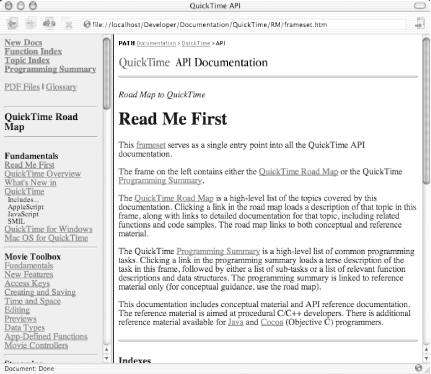
You'll notice that there are a lot of links to follow; you could probably spend several days reading through all the included documents. When browsing through the HTML, you'll quickly realize that QuickTime supports a broad range of rich APIs. Its complexity has been compared to a complete operating system. Of particular interest is the Java-specific information it links to on this first page, as shown in Figure 10-2.
Figure 10-2. QuickTime for Java documentation
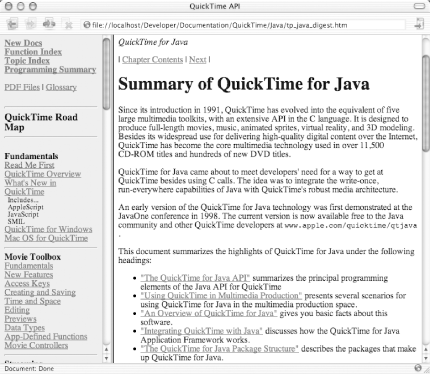
|

10.1.2 Class Files
Once you've gotten the lay of the land, you'll want to locate the actual QuickTime classes and ensure that they are available on your compiler and runtime environment. Navigate to /System/Library/Java/Extensions/ and look for QTJava.zip. Then add this archive to your classpath, through either a script or the command line:
setenv CLASSPATH /System/Library/Java/Extensions/QTJava.zip:$CLASSPATH
This step will give you access to the APIs themselves, allowing you to code to your heart's content. Note that QuickTime presents an unusually "close to the metal" implementation that exposes a lot of C-based functionality. Put bluntly, it's a bit easier to shoot your application in the head with QuickTime for Java than with almost any other Java API.


