1.3 Wireless Hardware
To go wireless, the first thing that you'll need to get is the proper hardware. While this book is primarily about 802.11x, it also covers hooking up your peripherals (such as printers, PDAs, cell phones, and even keyboards and mice) without wires. While all of this will be discussed in much more depth in later chapters, here's a brief overview of the technology this book covers.
1.3.1 802.11x
802.11x is the generic term for the 802.11 family of standards for wireless radio network connections, which includes 802.11, 802.11a, 802.11b, and 802.11g. This book focuses primarily on the last two standards, as Apple has chosen to support them on the Mac. The original AirPort uses 802.11b, while the newer AirPort Extreme supports 802.11g (and still maintains 802.11b compatibility, as described below).
The 802.11 designation comes from the Institute of Electrical and Electronics Engineers (http://standards.ieee.org/, IEEE for short, and pronounced "Eye-Triple-E"), a nonprofit, worldwide technical organization that develops technical standards for many different areas in the electronics field. Representatives of wireless manufacturers are often members of the IEEE subcommittees that hammer out the standards. The IEEE 802 Committee is responsible for networking, and its 802.11 Working Group deals with standards for wireless local area networks (WLANs). Each flavor of wireless has its own Task Group, which begat the different wireless-related standards and proposed standards, such as the original 802.11 (a 1-2 Mbps wireless protocol that is obsolete), as well as a, b, d, g, h, i, j, and k. A wireless standard is proposed in a Task Group and hashed out through a consensus process until it is voted on and finally approved. This process often takes years?the 802.11b standard had its beginnings in 1997, but didn't become an approved standard until 1999.
While the IEEE creates the standards, the Wi-Fi Alliance (http://www.wi-fi.org/) is the group that certifies products to work correctly with each other. Wi-Fi is an abbreviation for "wireless fidelity," and came about because "Eight Oh Two Dot Eleven Bee" doesn't roll well off the tongue. The Wi-Fi Alliance is a nonprofit trade organization, made up of hardware manufacturers and service providers that tests 802.11x devices for interoperability. Hardware that bears the Wi-Fi logo is guaranteed to work with any other hardware that also bears the logo (Figures Figure 1-2 and Figure 1-3). So if you have an Apple AirPort (i.e., 802.11b) card inside your computer, you should be able to connect with any 802.11b or 802.11a+b (also called "dual-band") device.
Figure 1-2. This symbol declares that a device meets the Wi-Fi (802.11b) standard

Figure 1-3. The Wi-Fi Alliance certifies multiple standards; hardware with this label supports 802.11a, 802.11b, and 802.11g
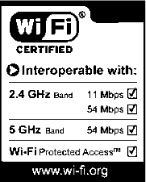
In order to use 802.11b or 802.11g with your Mac, you'll need two pieces of equipment: a card (to go inside your computer) and an Access Point (AP) to hook up to the Internet. The good news is that if you have a recent Mac, you're likely to already have the former, or be able to add it easily.
1.3.1.1 Cards
Since 2000, Apple has shipped computers that are either "AirPort built-in" or "AirPort ready." The former means that you already have a card installed in your computer, so you're ready for wireless. If the latter describes your computer, you'll need to purchase an AirPort or equivalent third-party card. In our experience, your best bet is to stick with the Apple cards: you know they'll work, and they're reasonably priced. Apple offers two AirPort cards: the original AirPort card ($79), which is an 802.11b unit, and the AirPort Extreme card ($99), which uses the 802.11g standard.
Laptops that use AirPort Extreme are not compatible with the original AirPort card, and laptops made for the original AirPort card cannot use the Apple AirPort Extreme card. If you have an older Mac that isn't AirPort-ready, Chapter 2 discusses some of the other options (such as PC and PCI cards) that may work for you.
1.3.1.2 Wireless Access Points
Practically speaking, Access Points, APs, gateways, wireless routers, and base stations are all different names for the same thing. Technically speaking, there are significant differences between some of these, but thanks to the slippery terminology used by wireless network manufacturers, the distinctions have tended to blur, causing network engineers to mutter darkly under their breath. In this book, we'll be using the term AP to describe most wireless units that give you access to networks, including the Internet. Sometimes it will be necessary to make a distinction between the different types of units, and we'll specify the differences when needed.
The Road Apple BuiltBefore IEEE could create wireless standards and the Wi-Fi Alliance could certify gear, the road to wireless networking first needed to be cleared. In this case, the road clearing needed was allocation of a band of the radio spectrum that would eventually be used by wireless data networking devices. In May 1995, Apple Computer filed a petition with the Federal Communications Commission (FCC) to set aside a radio band for future unlicensed use by wireless networks. The Apple petition envisioned using the band for high-speed (24 Mbps or more) devices that would allow schools, libraries, and communities to create networks at relatively low cost. The petition dovetailed with one of the Clinton Administration's (and former Vice President Al Gore's) pet projects, the "National Information Infrastructure," which began in 1993 and was the U.S. government's push to accelerate the growth of the Internet and expand the reach of information technologies to the general public. After a rulemaking process and comment period, the FCC approved Apple's petition in January 1997. Interestingly, the original Apple petition asked for spectrum allocation in the 5 GHz band, a band that Apple eventually didn't use, preferring instead to use the 2.4 GHz band for AirPort and AirPort Extreme. Other manufactures have used that band, however; see the discussion of 802.11a later in this chapter. But the real point is that all wireless manufacturers and users owe Apple a debt of gratitude for having the vision to get the wireless networking ball rolling. |
Apple's versions of the AP are the AirPort Base Stations, which have shipped in three flavors: Graphite, Snow, and Extreme. Of these, the Graphite and Snow models, which supported 802.11b, have been discontinued in favor of the AirPort Extreme Base Station, which supports both 802.11b and the faster 802.11g standard.
The not-so-good news is that although the AirPort Base Stations feature Apple's renowned ease of use, they range from somewhat overpriced to horribly overpriced, and do not always offer the best performance. The good news is that many off-the-shelf APs will work just fine with your Mac. You'll find more information about base stations from Apple and other manufacturers in Chapter 3, which shows how to choose and set up an AP for your network.
1.3.2 Differences Between 802.11a, b, and g
802.11 was the original wireless specification in this family of protocols. It operated in the 2.4 GHz spectrum and offered speeds between 1 and 2 Mbps. The a, b, and g specifications are extensions to the original 802.11.
1.3.2.1 802.11a
This was one of the first flavors of 802.11 to be worked on, but it wasn't the first to market because it took longer to develop than 802.11b. 802.11a devices run in the 5 GHz radio band, and can achieve a speedy theoretical throughput of 54 Mbps. The effective distance between radios for these speeds is approximately 50 meters; at longer distances, speeds degrade. Because 802.11a uses the 5 GHz band, these devices are not compatible with the far more common 802.11b devices. Workarounds exist; there are 802.11a units that are "dual-band," meaning that they contain both 802.11a and 802.11b radios. As you might guess, such dual-band units are more expensive and more complex in both hardware and software.
This lack of compatibility with 802.11b units led Steve Jobs to pronounce that 802.11a was "doomed to failure" during his keynote speech at Macworld 2003 in San Francisco. As a result, 802.11a support for the Macintosh by Apple is unlikely. Third parties may make Mac OS X drivers available for 802.11a equipment, because the standard does have some advantages: 12 channels can be used without interference in the same area, the 5 GHz band doesn't have the congestion that sometimes exists in the 2.4 GHz band, and there are some frequencies reserved for 802.11a outdoor use, which could make the standard useful for linking buildings in the same campus.
In addition, just as there are dual-band 802.11a and 802.11b devices, Linksys has announced a dual-band 802.11a and 802.11g PC card notebook adapter. It's reasonable to assume that there will soon be a variety of a+g products available, though probably not from Apple. Of course, because 802.11g units are backward compatible with 802.11b, dual-band units will effectively incorporate all three standards.
1.3.2.2 802.11b
802.11b was the standard behind the first consumer wireless hardware to ship, and is by far the most popular. You'll find 802.11b networks in a wide variety of places, including airports, convention centers, the Starbucks down the street, and many other public buildings. Over the past few years, millions of 802.11b cards and access points have been sold worldwide, creating an explosion of wireless networks. The benefits of 802.11b are that the required equipment is easy to set up, it's low-cost, and after you buy the gear, there's no extra charge for airtime on the equipment that you own (as with cell-based data services).
Besides working with access points, 802.11b devices can work in "ad-hoc" mode, meaning that they can connect directly to one another. Apple refers to this mode in its AirPort software as creating a "Computer-to-Computer" network. You can create this private network with another computer to transfer files, share an Internet connection, or to use iChat.
The 802.11b standard balances a slower theoretical top speed than either 802.11a or 802.11g (11 Mbps versus 54 Mbps) with a longer effective range (300 versus 150 feet). 802.11b radios share the 2.4 GHz radio band with other consumer electronics products such as cordless phones, microwave ovens, and Bluetooth devices. If you're in an area where two of these different types of devices are in use, you may suffer the effects of interference; for example, we own a 2.4 GHz wireless phone, and when we bring it into the same room as one of our 802.11b APs, we can hear a soft clicking noise on the phone, and the data throughput from the AP to our laptops drops. You'll find more about the details of 802.11b in Chapter 2.
1.3.2.3 802.11g
802.11g gets 802.11a's 54 Mbps data throughput, while still being able to share the same wireless network with 802.11b users. Because 802.11g shares the 2.4 GHz band with 802.11b, it must be backward compatible. This combination of speed and backward compatibility led Apple to embrace 802.11g in January 2003, under the name AirPort Extreme. Apple replaced its AirPort Base Stations with new AirPort Extreme models, and released new AirPort Extreme cards for its newer CPUs (the new cards are a different form factor, so they can't be used to give older machines AirPort Extreme capabilities). The theoretical speed of 802.11g is 54 Mbps, with real-world throughput falling into the 20 to 30 Mbps range.
As of this writing (October 2003), the IEEE has recently finalized the 802.11g standard. What this means is that when you buy 802.11g hardware, it may or may not work well with 802.11g hardware from other manufacturers, at least until they roll out their standard-compliant updates. Our recommendation is to either stick with hardware from one manufacturer (usually Apple), or make sure that anything you buy can be upgraded via firmware to the standard. You should also ensure that your hardware is running the latest firmware version: check the manufacturer's web site to find out the latest version, then use the hardware's management software to check what version the hardware is running. See Chapter 4 for more information on how to manage Apple's AirPort Base Stations.
Now that the standard is final, the Wi-Fi Alliance has updated their logo program to show which products are a, b, and/or g. There are more details about 802.11g in Chapter 2.
Table 1-1 provides an overview of the different 802.11 protocols.
|
Standard |
Band |
Speed |
Distance |
Apple support? |
|---|---|---|---|---|
|
802.11b |
2.4 GHz |
11 Mbps |
300 feet |
Yes (AirPort) |
|
802.11a |
5 GHz |
54 Mbps |
150 feet |
No |
|
802.11g |
2.4 GHz |
54 Mbps |
150 feet |
Yes (AirPort Extreme) |
It's important to keep a few things in mind when looking at these numbers:
The theoretical top speeds listed in the table include all of the parts of the wireless signal, and that signal isn't just the data that you are sending and receiving. There is considerable overhead in the network signal, such as signaling the beginning and end of data packets, canceling out interference, and ensuring that transmissions are synchronized. This overhead reduces the theoretical speed of your data significantly: with 802.11b, you'll get about 6 Mbps at best, and because low-cost consumer gear doesn't quite live up to the theoretical maximum, your throughput is likely to be between 4 to 5 Mbps. There's an analogy to wired Ethernet: 10Base-T Ethernet is supposedly 10 Mbps, but in the real world, it's more like 7 to 8 Mbps.
Real world numbers will always vary from the listed speed and distance. Sometimes, the numbers will vary widely, so don't be surprised if you don't get the performance implied by this chart.
The speed of the connection decreases the further you get from the AP. You're not going to get maximum throughput when you're near the limit of its range. 802.11 devices are designed to automatically reduce their data throughput and maintain the connection as the distance between the base station and the wireless client increases.
Nearly anything can diminish the signal strength and range. If your walls are thick, it's more likely that you won't be able to use wireless over long distances. We've heard stories about people with outside receivers whose signal strength differs depending on how many leaves are on the trees. There are a lot of variables, and what holds true in one situation may well not be the case in another location.


