Lesson 8. Using Conditional Logic
Every day we're confronted with all kinds of situations, large and small, that require us to make decisions about what actions we'll take. Although we may not be doing it consciously, we're constantly saying to ourselves, "If this is the case, I need to do that." If it's hot, wear shorts; if it's rainy, wear pants; and so on. This process of taking different actions based on current conditions (circumstances) is known as conditional logic, and it's something we all apply naturally.
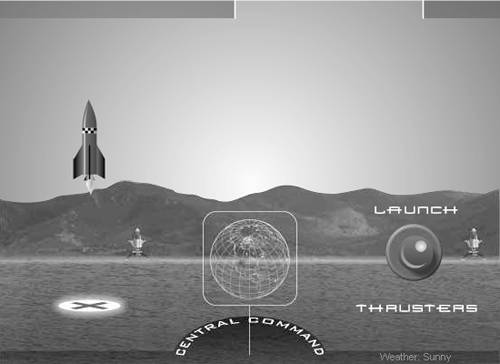
A successful rocket launch demands perfect conditions. This lesson's project will emulate a launch to demonstrate some of the principles and techniques used in conditional logic.
Conditional logic is a critical component of interactivity. It allows you to program your project to react intelligentlyto the movement or position of the mouse, to the current day of the week, to many other dynamic conditions that exist as your movie plays. By employing conditional logic, you transform simple linear presentations and animations into dynamic projects that offer a unique experience each time they're viewed.
In this lesson, we'll introduce you to some of the ways in which you can use conditional logic to bring about graphical changes in your movies based on varying conditions.
WHAT YOU WILL LEARN
In this lesson, you will:
Learn how to use if, if/else, and if/else if statements to control the flow of a script
Explore the various operators used in conditional logic
Script a project to react to various conditions
Create a scripted boundary to restrict an object's movement
Turn a script on and off using conditional logic
Program a project to react to user interaction
Learn how to detect and react to object collisions
APPROXIMATE TIME
This lesson takes approximately one hour to complete.
LESSON FILES
Starting File:
Lesson08/Assets/rocketLaunch1.fla
Completed Project:
rocketLaunch6.fla


