Using the Database Taskpad
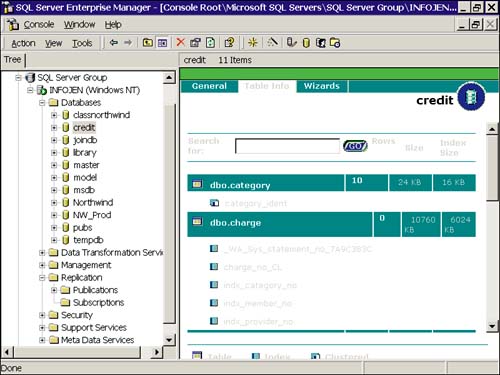
Taskpad uses the Details pane in EM to display general information and provide access to wizards and tools by function. To access Taskpad, first select a server or database, and from the View menu, select Taskpad. For a server, the Taskpad displays a General tab and a Wizards tab, from which you can launch the appropriate wizard. When Taskpad is launched at the database level, an additional tab is added for table information, displaying the table names, indexes, and the space used by each. Figure 4.25 shows the Table tab of the Taskpad.
Figure 4.25. The Table Tab of Taskpad.
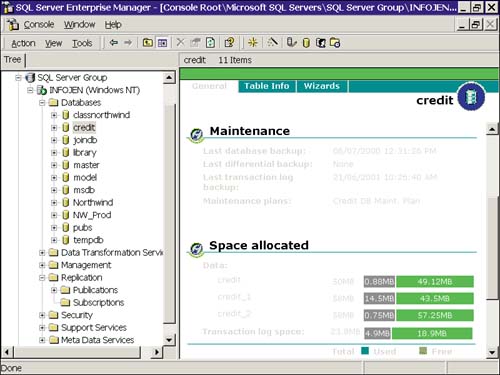
Another interesting feature of Taskpad is the Space Allocated section of the General tab. This section gives a nice graphic view of space usage on both the data and log files.
The Space Allocated section is shown in Figure 4.26. Note also the yellow button at the top-left of each section. Hovering over this button provides a list of tools pertaining to that section.
Figure 4.26. Viewing space allocation in Taskpad.
 |  |


