Saving the Data Table
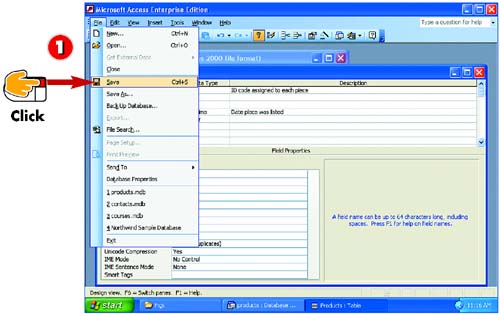

After you make changes to a table's structure, open the File menu and choose Save. The database table is saved.
INTRODUCTIONOne confusing thing about databases is that you don't need to save your work as you enter data. You do need to save, though, when you make changes to the table structure, such as adding a new field or changing a field description. You can use the Save menu command, the Save toolbar button, or the Save shortcut key (Ctrl+S). If you close the table without saving, Access prompts you to do so. |


