Task 10: Adding Fonts
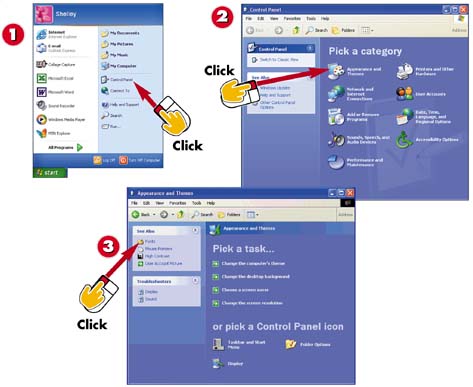

Click Start and then select Control Panel.

Click Appearance and Themes.

In the See Also area, click Fonts.
INTRODUCTION
You can purchase additional fonts to add to your system. When you do so, you need to install them in Windows so that you can use them with any Windows programs.
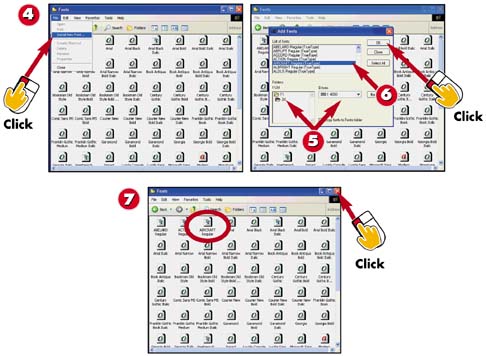

You see the Fonts folder with icons for all of the installed fonts. Click File and then Install New Font.

Select the drive and folder that contains your font files.

Select the font(s) you want to install and click OK.

The font(s) are installed. Click the Close button to close the font window.
TIPNo Fonts Listed? If no fonts are listed, it's because no font files are in the selected folder. Be sure to select the drive and folder where the files are stored. |
TIPSelect All Fonts If you want to add all the fonts, click the Select All button. |


